
A moving LED screen needs more planning than a fixed display. The venue must support its weight, every moving section needs enough space, and technicians must be able to reach the equipment safely. A Kinetic LED Display project should connect the visual design with the support structure, movement system, power supply, controls, content, testing, and maintenance. These details should be confirmed before production starts. The project team should also follow suitable machinery safety guidance when reviewing moving parts, emergency stops, restricted areas, and possible operating risks.
Define the Kinetic LED Display Requirements
Start by deciding what the display needs to achieve. Do not choose a product only because its demonstration video looks impressive.
Confirm the Viewing Conditions
Record where the audience will stand, the closest viewing distance, and how long people will normally watch the display. These details affect the screen size, pixel pitch, brightness, movement range, and content layout. A stage display may need a different setup from a moving screen installed inside a shopping mall or exhibition hall.
Explain the Movement Clearly
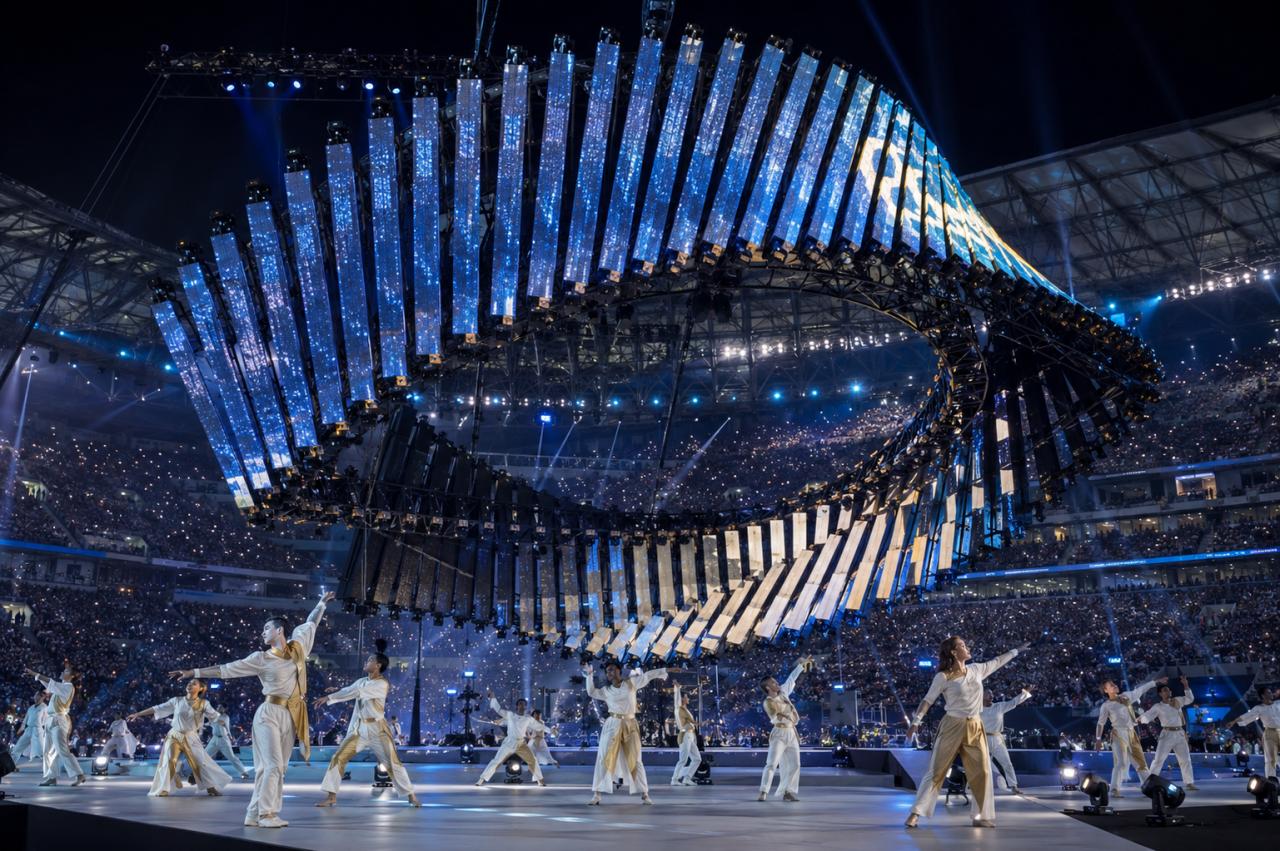
Describe whether the screen will rise, fall, rotate, fold, separate, or move between several positions. The plan should include the direction, travel distance, speed, pause time, and return position. Different kinetic LED screen designs can then be compared under the same project requirements.
Set Clear Project Goals
Turn the visual idea into simple test points. The display should move smoothly, stop in the correct position, keep the image readable, and repeat the same movement without errors. These points make it easier to review the system during testing.
Check the Venue and Support Structure
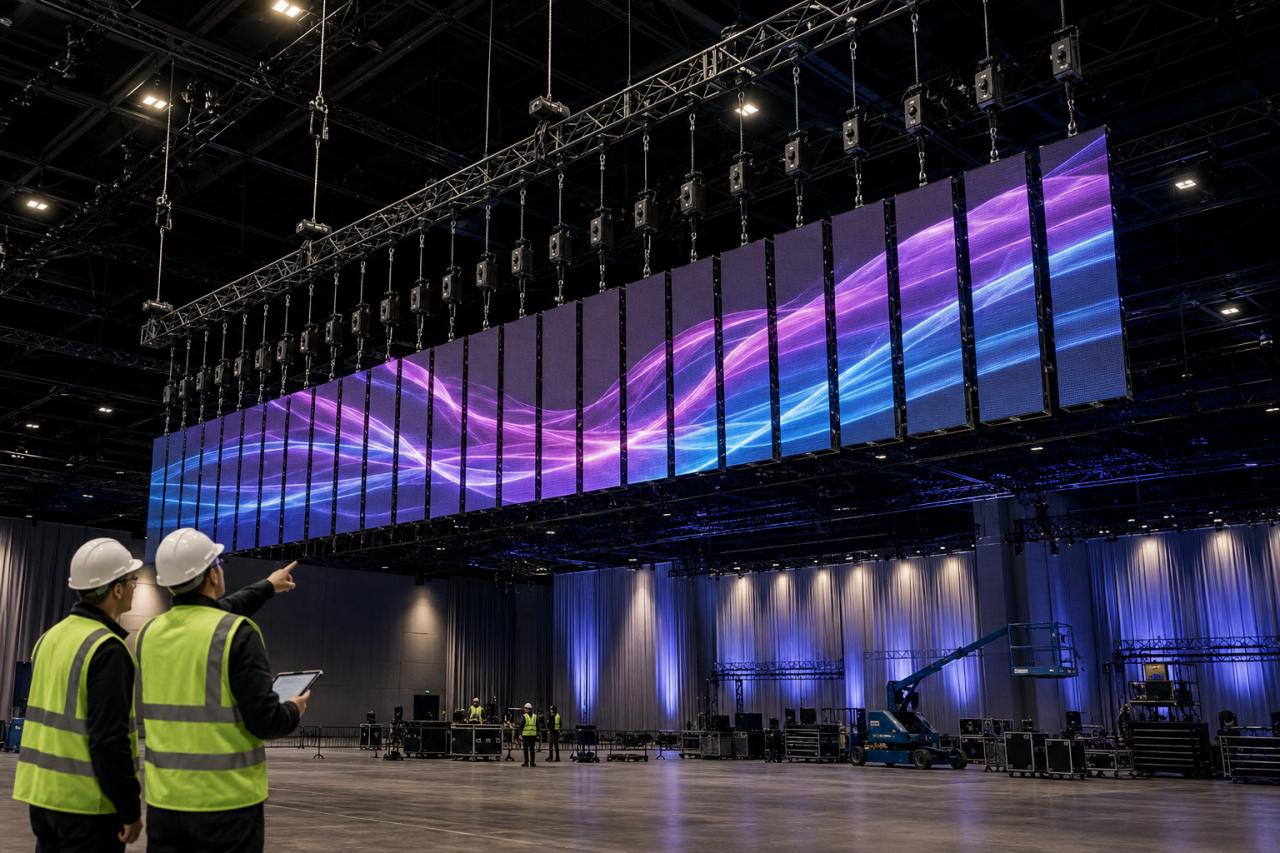
A site survey should cover the complete installation area, not only the final screen position. The team must understand how the equipment will enter the venue, where it will be installed, and how much space it will use while moving.
Measure the Installation Area
Record the ceiling height, floor level, door size, access routes, support points, nearby lights, public walkways, sprinklers, and other building equipment. Confirm whether the screen can enter as complete sections or whether technicians must assemble it inside the venue.
Map the Full Movement Space
Draw the complete area used by every moving section. Leave enough clearance for cables, walls, decorations, barriers, lights, and maintenance work. Projects using rotating layers or double-sided structures can review a rotating LED display to understand how the moving sections may use the surrounding space.
Confirm the Structural Load
Ask the supplier for the total weight, load position, center of gravity, movement force, support method, and maintenance load. A structural engineer should review this information before production. The contract should also state who approves the steel frame, suspension points, anchors, and connections to the building.
Plan the Kinetic LED Display Power and Controls
The LED screen, motors, sensors, media player, and emergency controls must operate as one system. Problems often occur when different suppliers manage separate parts without a clear control plan.
Confirm the Power Supply
Record the available voltage, power distribution point, cable route, grounding, protective devices, and isolation switches. The plan should separate the power used by the LED display, motors, controllers, and service equipment where needed. Cables must also move freely without being stretched, crushed, or caught by the structure.
Define the Control System
Confirm which controller manages the movement and which system plays the video content. The control plan should explain what happens if the signal is lost, a sensor fails, the media stops, or the display does not reach the expected position.
Set the Stop and Restart Rules
Define normal stops, emergency stops, alarms, power failure recovery, and restart approval. The system should only restart after the movement area has been checked. Operators should also be able to confirm the current screen position before movement begins again.
Match the Image and Content to the Movement
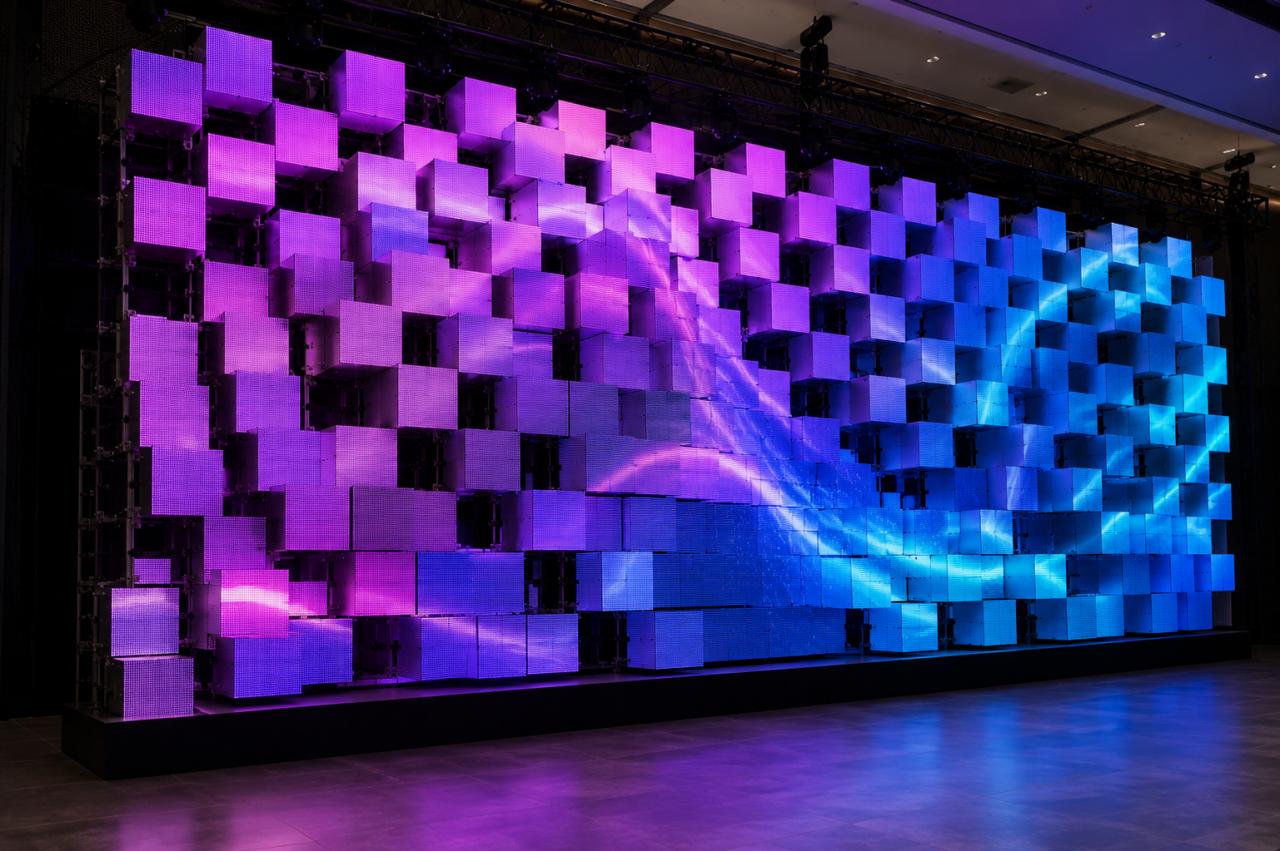
A moving screen must remain clear while its position and shape change. Image settings and content should be planned around the real viewing conditions rather than selected from a product catalog alone.
Choose the Image Settings
Select pixel pitch according to the closest viewing distance and the amount of detail in the content. Match brightness to the venue lighting and camera use. The team should also confirm white balance, grayscale quality, refresh performance, and color consistency between different moving sections.
Test the display with the actual cameras used at the venue. Check both static and moving scenes for flicker, scan lines, or visible image changes.
Create Content for the Screen Shape
Content made for a flat wall may not work when the display rotates, separates, folds, or changes depth. Place important text, logos, and products away from gaps, panel edges, and areas that may turn away from the audience. The main message should remain clear at both the starting and ending positions.
Match Content Timing to Real Movement
The animation should follow the actual movement speed of the equipment. Allow enough time for acceleration, travel, pauses, and return movements. A static backup scene should also be prepared so the screen can continue showing content when movement is unavailable.
Plan Kinetic LED Display Maintenance and Testing
Maintenance access and testing should be included in the design from the beginning. A system may look complete from the audience area but still be difficult to repair or operate.
Provide Safe Maintenance Access
Show how technicians will turn off the equipment, enter the service area, reach modules and motors, and remove faulty parts. Routine maintenance should not require large sections of the installation to be removed. Prepare spare LED modules, power supplies, sensors, cables, motors, and controller parts based on the project size and expected operating hours.
Check the Supplier Quotation
Ask each supplier to list what is included and excluded. The quotation should cover the display, moving system, support structure, rigging, cables, installation, control programming, testing, training, travel, and local labor. Projects with unusual shapes can review different creative moving LED display options before confirming the final scope. Suppliers should also list assumptions about access equipment, permits, structural approval, working hours, electrical work, and venue support.
Test the Complete System
Test each display section and moving part separately before running the full sequence. Then test synchronized content, normal stops, emergency stops, power recovery, signal loss, and repeated movement cycles. Final venue testing should use the normal lighting, cameras, barriers, sound system, network, and staff workflow. The handover package should include drawings, software backups, control settings, operating instructions, test records, maintenance plans, spare-parts lists, training records, and warranty details.
FAQ
What information is needed for a Kinetic LED Display quotation?
Provide the venue dimensions, viewing distance, screen size, movement style, installation method, lighting conditions, operating hours, content requirements, and available power supply.
How much movement space does the display need?
It depends on the screen size, movement direction, travel distance, support structure, cables, and maintenance method. The drawing should show the complete area used by every moving part.
Can a Kinetic LED Display work without movement?
Many systems can stay in a fixed position and continue playing content. A static backup scene should be prepared before the system enters normal operation.
How should pixel pitch be selected?
Choose pixel pitch according to the closest viewing distance, content detail, screen dimensions, and camera requirements. Also consider whether any screen section moves closer to the audience.
What should be included in the handover documents?
The documents should include approved drawings, electrical information, control settings, software backups, operating instructions, maintenance plans, spare-parts lists, test results, safety limits, training records, warranty terms, and supplier contact details.