
A replacement module can fit the opening in a flexible LED display and still show the wrong image or a visible color patch. Ordering by pixel pitch alone leaves questions about connectors, driver configuration and the way the new module will match the surrounding screen. Before buying spare parts, confirm the installed hardware revision, ask the supplier to check electrical and control compatibility, and agree how the replacement will be tested. A sample approved on the actual screen gives a stronger basis for an order than a product photograph or a general specification sheet.
Identify the installed flexible LED display before ordering
Start with the records for the screen already in use. Collect the original order number, module model, hardware revision and any production batch information. Photograph the module label, front surface, rear connectors and mounting points. Include the receiving card model and the approved configuration file if available.
Record the fault location and what the screen shows there. A dark section, flashing pixels or an incorrect image can also involve power, signal connections or control settings. Ask the service team to establish the cause before purchasing modules for the whole affected area.
Send the information to the original supplier first. For a screen supplied by JR Visual, identify the project and installed product version in the enquiry. If an integrator assembled the display, obtain the module records from that integrator rather than relying on the name of the finished screen.

LED module compatibility involves more than size and pitch
Matching dimensions and pixel pitch narrows the options, but the supplier still needs to confirm that the replacement can operate with the existing electronics. Request written confirmation for the exact module revision you intend to order.
| Check | Information to provide | Supplier confirmation |
| Physical fit | Dimensions, orientation and mounting photos | Connector clearance and mounting layout |
| Pixel layout | Exact pitch and module resolution | Pixel arrangement and image mapping |
| Power connection | Rated module supply and connector details | Voltage, polarity, pin assignment and power demand |
| Signal interface | Connector type, location and signal direction | Pin assignment and data compatibility |
| Driving configuration | Driver IC, scan mode and approved settings | Configuration supported by the replacement |
| Control and calibration | Receiving card, software version and available files | Required settings and correction data |
A connector that looks identical may use a different pin assignment. A newer revision may also require different receiving card settings. Have the supplier identify any changes before the technician connects or powers the replacement; keep the existing approved settings available for reference.
Product families help identify candidate parts. The iSoft Indoor Flexible LED Module page lists more than one module format. Use the exact version installed in your project when requesting a replacement. Membership of the same series does not establish interchangeability between all versions.
Color matching needs batch records and usable calibration data
Ask whether the supplier can provide stock from the original batch or a replacement batch that has been checked against the installed modules. Keep the original batch reference in the purchase request. Even with matching product specifications, the replacement may need adjustment to blend with neighboring modules. The comparison should account for the screen already in service. Existing modules may have different operating histories from unused spares. Ask the supplier how it will assess the new module against the current display, including brightness, white balance and low gray levels. A same-batch label is useful evidence, but the installed comparison still determines acceptance.
Confirm what calibration information is available and how it will reach the correct module position. Calibration coefficients are correction values used by the control system; their usefulness depends on the hardware, supported functions and file mapping. Avoid assuming that a file supplied for another module or screen can be applied unchanged. The official NovaStar calibration coefficient management documentation describes setting coefficients for a new module using a database or surrounding modules, and recommends backing up the database before erasing coefficients. Confirm the supported method for the installed software and receiving cards with the service technician.
Calibration cannot resolve an incompatible electrical interface or guarantee a match between different hardware designs. If the proposed replacement needs broader changes to the screen configuration, require the supplier to define those changes and demonstrate the result before approving a larger order.
Approve one replacement module on the existing screen
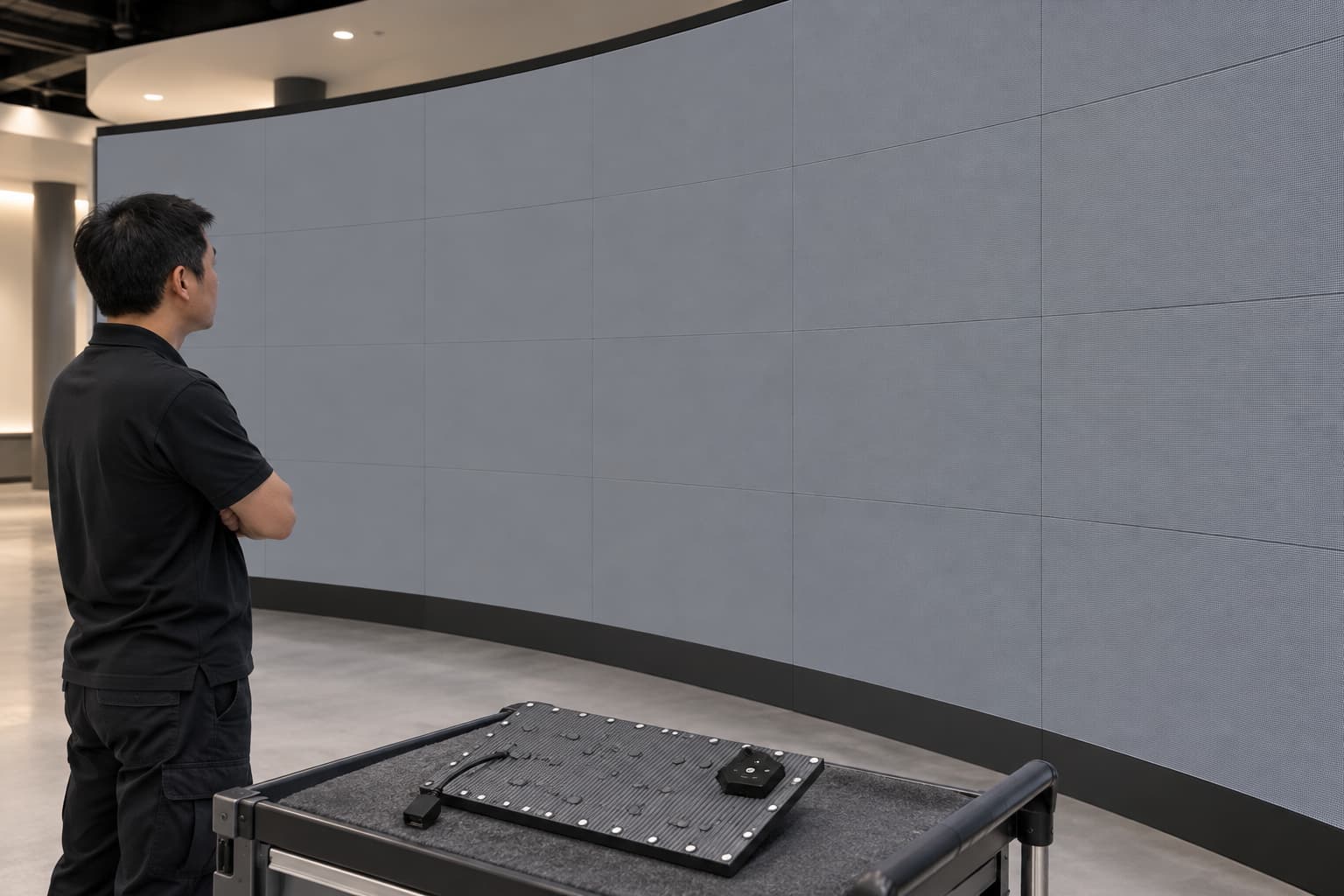
For a new supplier or an unverified hardware revision, request a sample before ordering the full quantity. Agree who will fit it, which records the supplier needs, and what happens if the sample passes the electrical checks but remains visibly different from the surrounding display. A qualified technician should follow the approved isolation and handling procedure during installation. Before changing settings, save the current configuration and available calibration data. Retain the removed module with its position recorded until the fault and replacement result are confirmed.
Test the sample at the normal operating brightness and under the lighting conditions used at the venue. Let the system reach the stable operating condition specified by the supplier. Compare from the main viewing positions, including the side views relevant to the curved screen.
- Display solid red, green and blue to check individual color response and visible pixel faults.
- Use white and several gray levels to inspect brightness differences, color casts and low-level uniformity.
- Show lines or a grid to check pixel mapping, orientation and alignment across the module boundary.
- Play normal content, including dark scenes and pale backgrounds, to see whether the replacement remains noticeable.
- After an approved restart, check that the saved settings and correction data still produce the accepted result.
Set the acceptance method before testing. If the project requires measured luminance or color tolerances, specify the instrument, viewing conditions and agreed limits. Photographs can record a visible patch, but automatic camera exposure and white balance make them unsuitable as the sole proof of color accuracy.
Keep flexible LED screen spares linked to approved versions
Once the sample passes, attach its model, revision, batch and approved settings to the spare-parts order. Ask the supplier to flag substitutions before shipment. A quotation stating only the pixel pitch gives the receiving team too little information to identify a revised component.
Keep spares in the protective packaging and storage conditions specified for the module. Record quantities separately for each approved version, together with the associated configuration and calibration files. Add the installed position and replacement date to the service log whenever a spare is used.
Review replacement availability before stock runs out. If the original version is discontinued, compare the proposed alternatives in the LED modules range and request a project-specific compatibility assessment. A larger replacement area may be proposed when a single module cannot achieve the agreed result; approve its scope only after testing and a clear cost comparison.
Replacement orders need compatibility approval and a display test
A flexible LED display module replacement order should identify the original hardware, the proposed spare and the evidence that connects them. Include the required settings, available calibration data, sample results and the agreed response to a failed color match.
If the replacement changes the control system or requires several neighboring modules to be replaced, evaluate it as a change to the installed system. Relate the proposal to the venue requirements covered by LED display solutions, including normal viewing distance, content and access for service. Approve the order when the supplier has demonstrated a compatible module and an acceptable image on the screen that needs repair.